Budviews FAQs
Find answers to common questions about Budviews, including account management and review creation.
Account Deletion
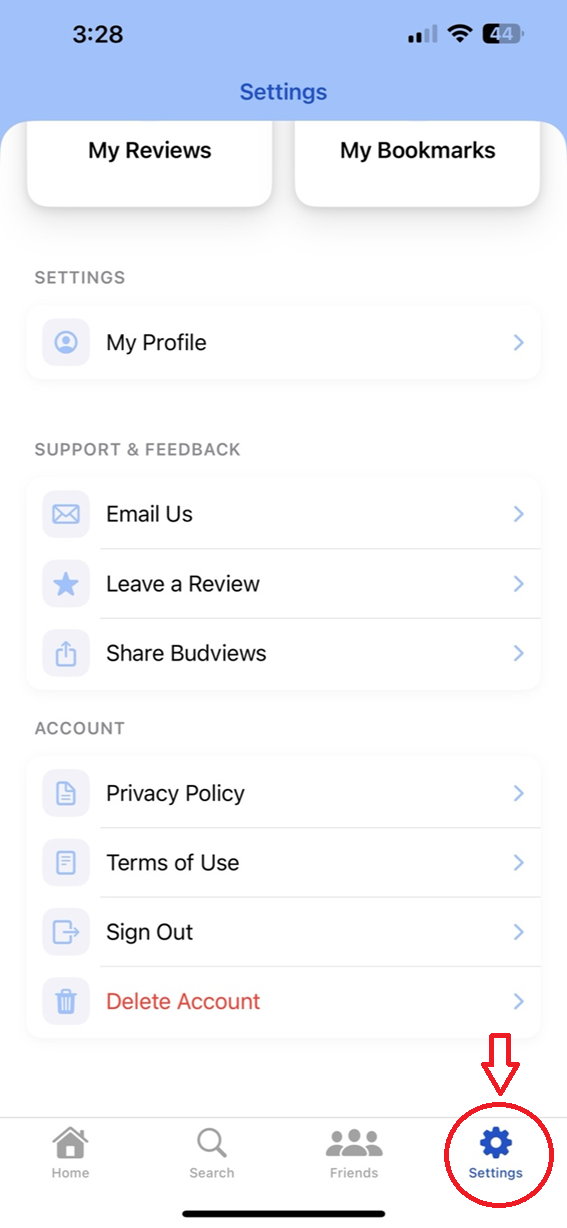
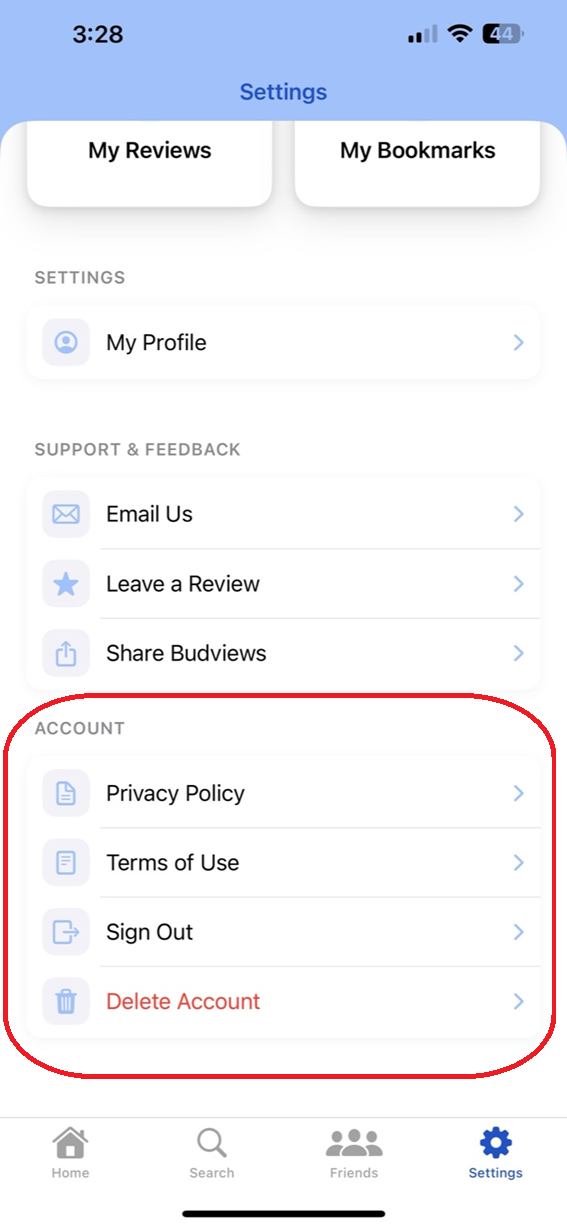
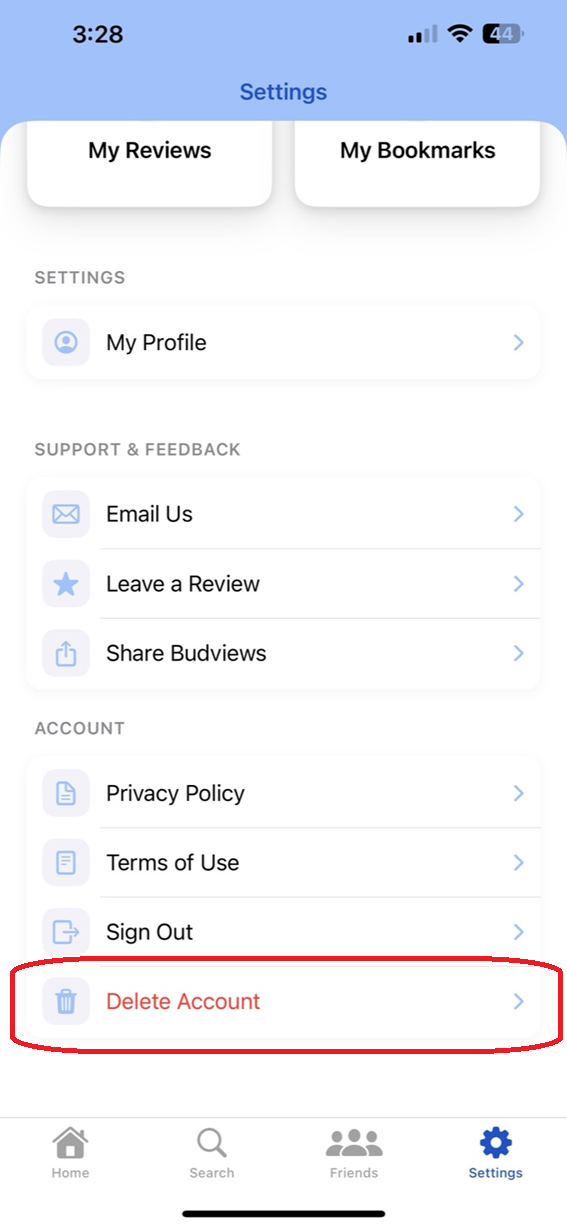
The steps are the same on iOS and Android. Account deletion is completed inside the app via Settings → Account → Delete Account.
Step-by-Step (iOS and Android)
- Open the Budviews app on your device.
- Go to Settings.
- Scroll to the Account section.
- Tap Delete Account.
- On the confirmation sheet, tap Delete Account to finish.
Common Questions
Where can I find the Delete Account option?
Open Settings, then scroll to the Account section and select Delete Account.
I can’t see the Delete Account option. What should I do?
Make sure you are signed in and using the latest version of the app. If the option is still missing, contact support at support@budviews.com.
Do I have to delete my account on the website?
No. Account deletion is only available in the mobile app under Settings → Account → Delete Account.
Create a Review
The flow below matches the current app UI for creating a new review from Home.
Step-by-Step (iOS and Android)
-
Start on the Home view and tap the New Review floating button (bottom-right, square-and-pencil icon).
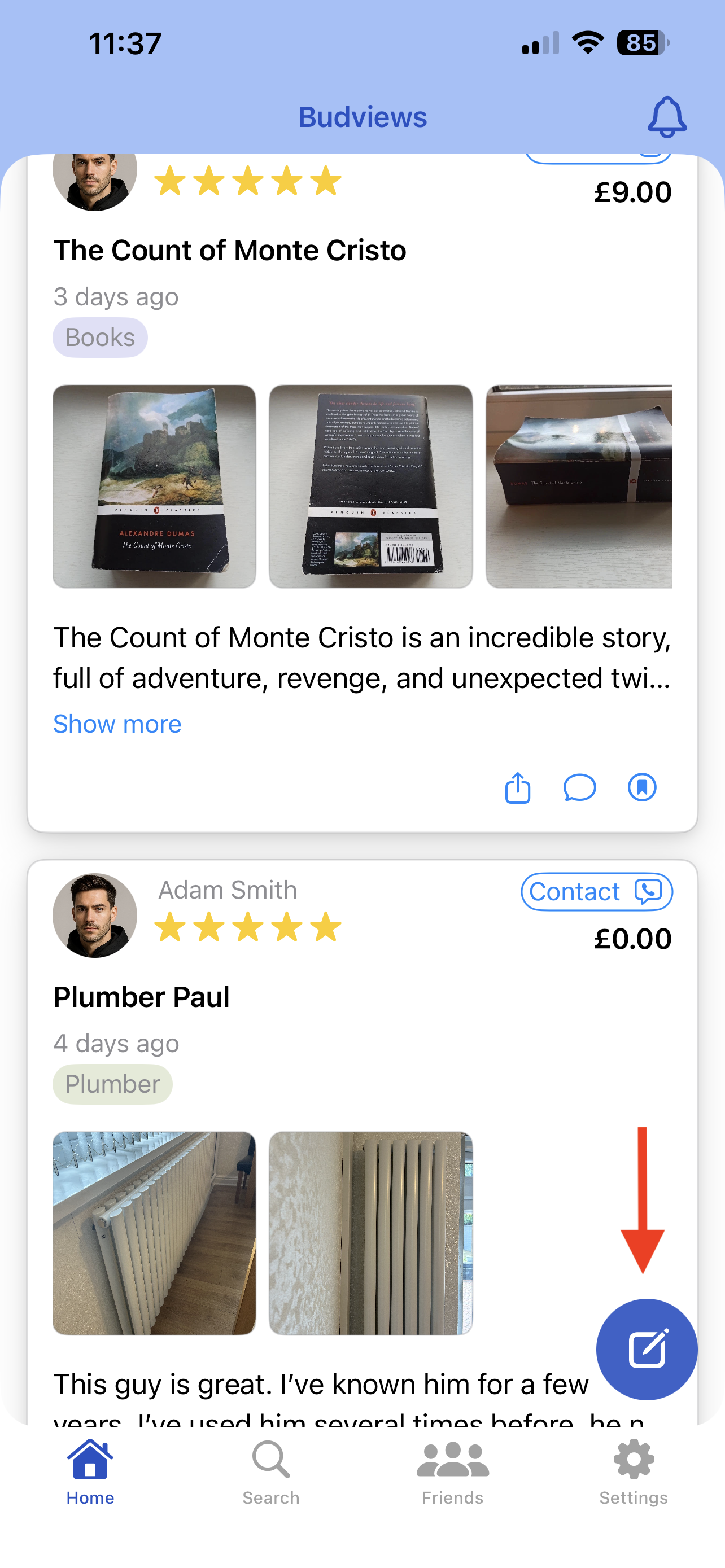
Step 1: New Review button (full view). 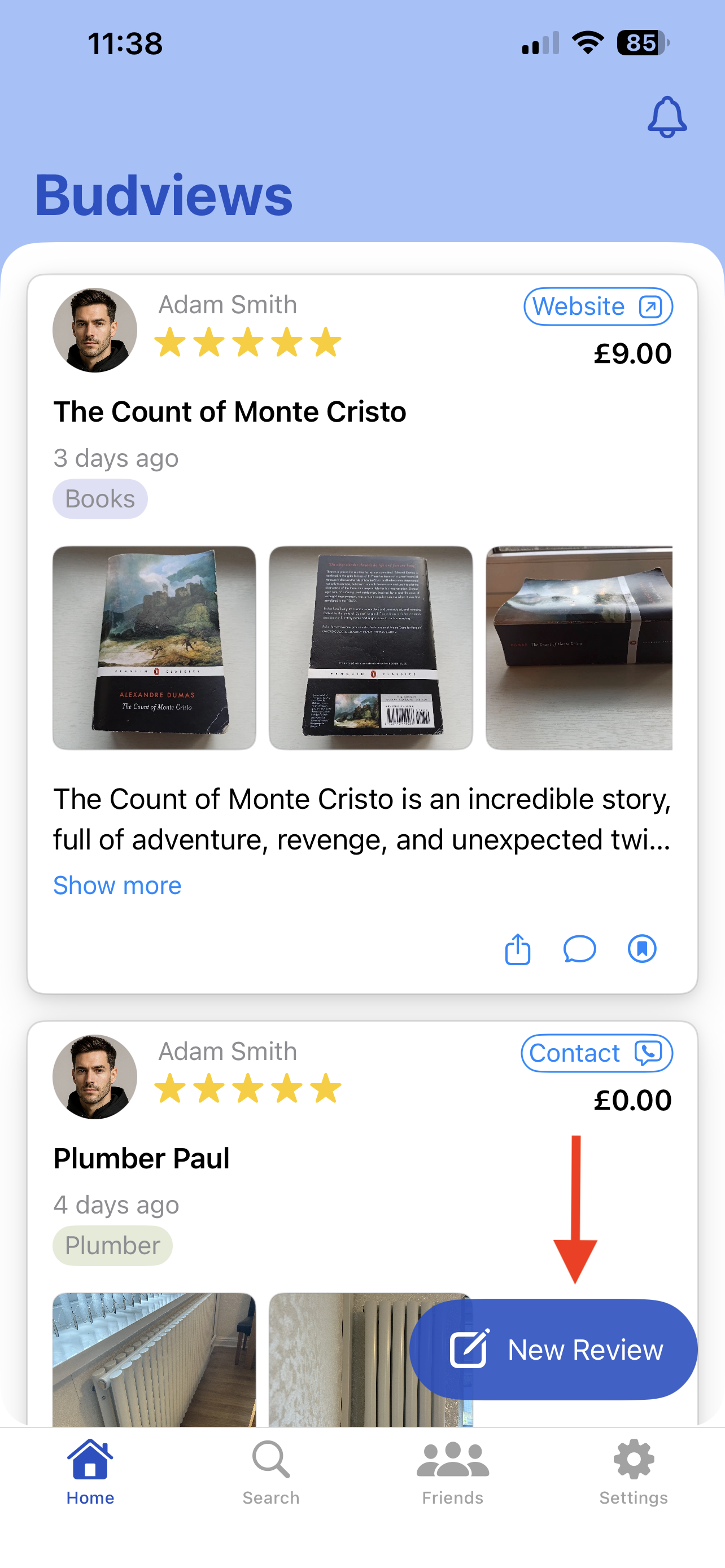
Step 1: New Review button (zoomed/partial view). -
In the review form, fill in all mandatory fields: Star Rating, Title (Product / Service name), Review Text, and Category.
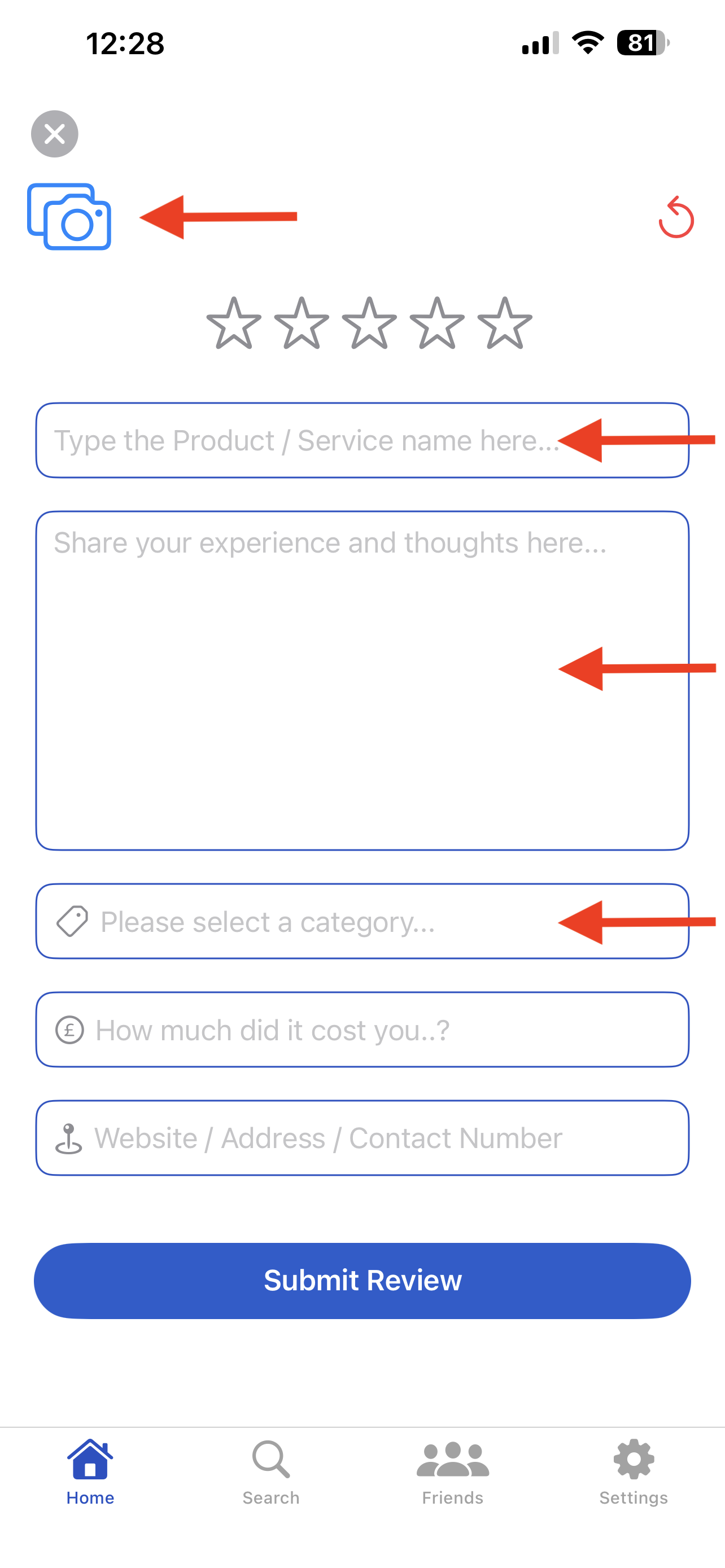
Step 2: Review form and required fields. -
To add images, tap the camera icon at the top of the form. In the camera module, you can either choose from your Photo Library (photo icon) or take new photos with the shutter button.
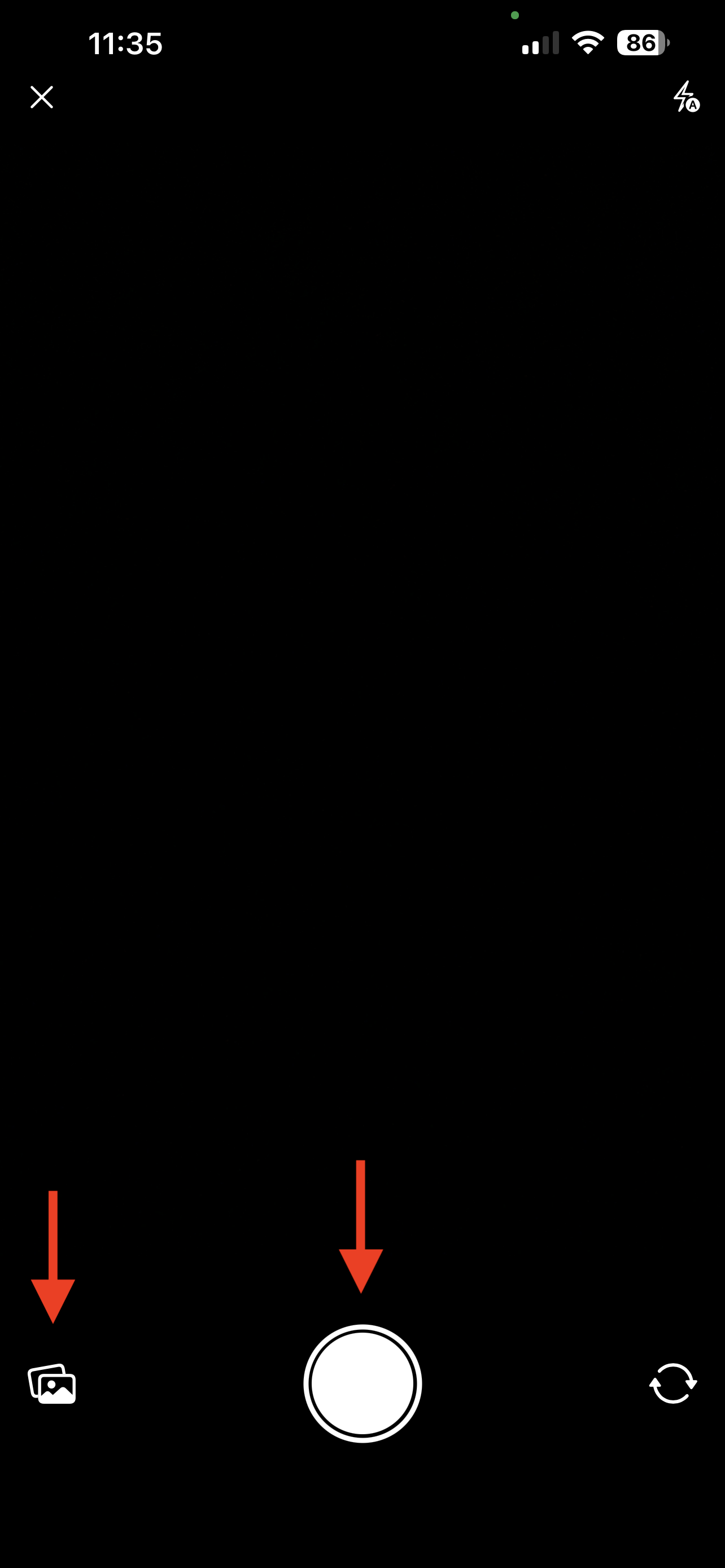
Step 3: Add images (camera or photo library). - You can attach a maximum of 3 images per review. When 3 images are selected, additional capture/selection is blocked until one is removed.
- Optionally add Cost and Location, then tap Submit Review.
Common Questions
Which fields are mandatory before submission?
The fields Star Rating, Title (Product / Service name), Review Text, and Category are required.
Can I use both camera and photo library in one review?
Yes. You can attach images from either source, up to the same 3-image total limit.